WordPress SEO Audit
Plugin Conflicts, Theme Bloat, and Core Web Vitals, All Checked
A full technical and on-page audit built for WordPress, checks your plugins, theme output, page builder code, and site architecture. The system renders your pages in a real Chromium browser, so it sees exactly what Google sees, including the bloat your theme and plugins inject.
40 checks across 12 categories. Covers Elementor, Divi, WPBakery, and Gutenberg output. WooCommerce product schema included if applicable. Branded PDF delivered same day to 72 hours depending on tier.

Choose Your Audit
Prospect Audit
10-minute scan. Top 5 fixes. Branded single-page PDF perfect for pitches and proposals.
Most PopularAI SEO Audit
40 checks, 12 categories, AI readiness scoring, site architecture mapping, and prioritised action plan.
Advanced Audit
Everything in AI Audit plus competitor gap analysis, content strategy, and 90-day implementation roadmap.
What the WordPress Audit Checks
Every check is WordPress-aware. The audit understands plugin ecosystems, page builder output, and WordPress indexation patterns, not generic rules applied to a WordPress site.
Plugin Conflicts & Bloat
- ✓ SEO plugin conflicts, Yoast vs Rank Math vs All in One SEO
- ✓ Render-blocking scripts from heavy plugins identified
- ✓ Duplicate functionality across schema and caching plugins
Theme & Page Builder Output
- ✓ Elementor, Divi, WPBakery, and Gutenberg output analysed
- ✓ Nested div structures and inline styles that confuse crawlers
- ✓ Lazy-loaded content Googlebot might miss
WordPress Indexation Issues
- ✓ Tag, category, author, and date archives flagged for noindex
- ✓ Attachment pages and media URLs wasting crawl budget
- ✓ Paginated archive pages creating thin duplicate content
Database & Core Web Vitals
- ✓ Post revisions, transients, and autoloaded data assessed
- ✓ LCP, INP, and CLS with WordPress-specific root causes identified
- ✓ Caching plugin configuration and hosting setup assessed
When a WordPress Audit Makes the Difference
WordPress powers 43% of the web, but its flexibility is also its biggest SEO risk.
- ✓ Your site has slowed down over time, plugin bloat, unoptimised page builder output, and database overhead are the usual culprits on WordPress
- ✓ You've installed multiple SEO plugins and don't know which settings are conflicting, Yoast, Rank Math, All in One SEO, and schema plugins can fight each other
- ✓ Google is indexing pages it shouldn't, tag archives, author pages, attachment URLs, and paginated archive pages that dilute your crawl budget
- ✓ You're an agency managing WordPress clients and need platform-specific findings, not a generic report that doesn't mention plugins, themes, or WordPress architecture
What You Get in the Report
Standard 40-check audit plus WordPress-specific findings. Every issue comes with a fix your developer can implement.
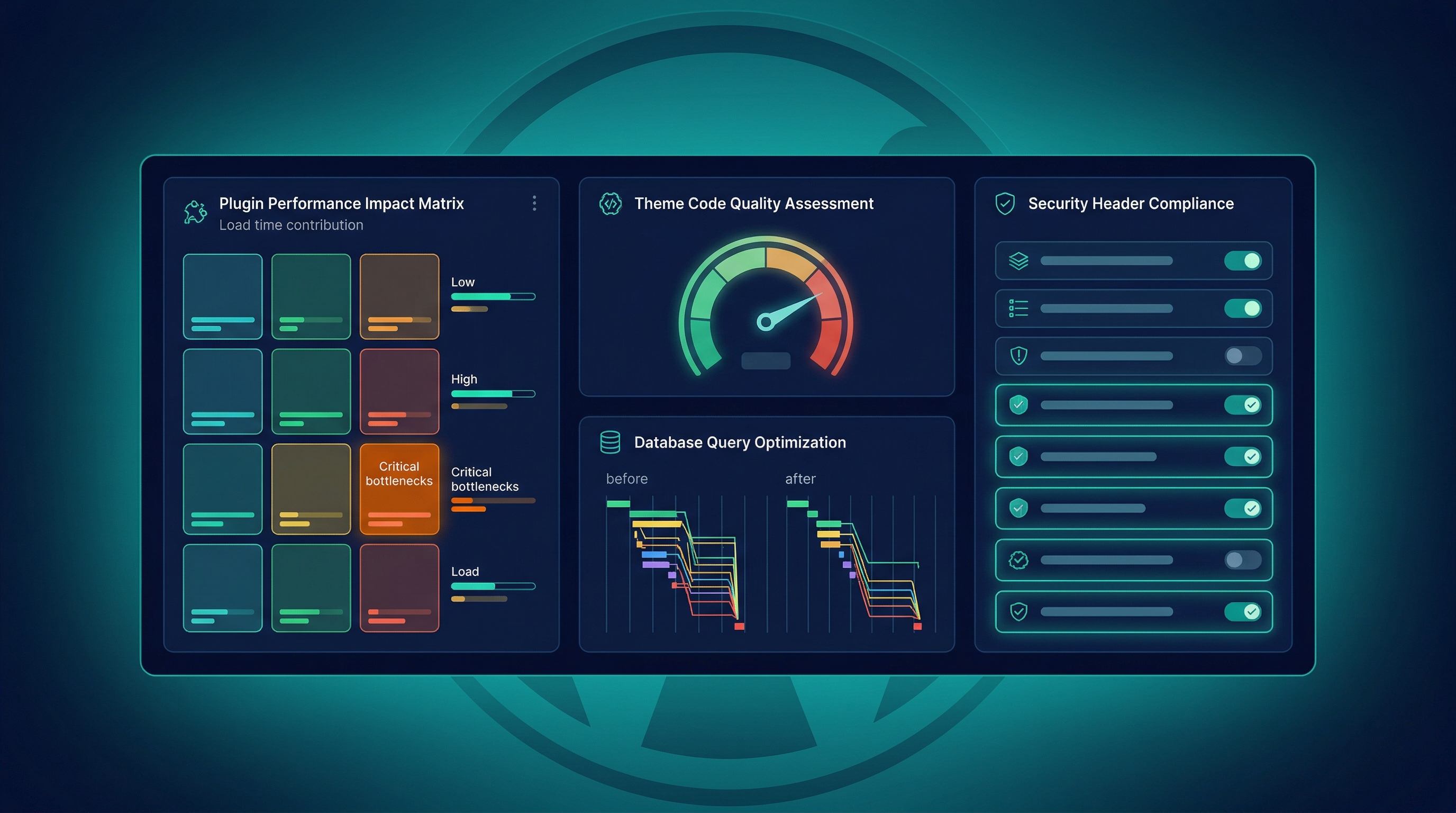
WordPress Technical Report
Plugin audit, theme output analysis, page builder code review, database health, caching configuration, and WordPress-specific security checks. Every finding contextualised to your setup.
Indexation Cleanup Plan
Every low-value URL WordPress has created, tag archives, author pages, attachment URLs, date archives, identified with specific noindex recommendations.
Core Web Vitals + Speed
LCP, INP, and CLS assessed with WordPress-specific causes identified. Plugin-by-plugin impact on page speed. Specific recommendations for your theme and hosting setup.
Prioritised WordPress Roadmap
AI-generated recommendations contextualised to WordPress. Every fix ranked by impact, from quick plugin changes to architectural improvements your developer can action.
Inside the WordPress Audit Report
Executive Summary
Overall health score, grade, and the top 5 issues ranked by impact. Designed for a client or stakeholder who needs the headline without the detail.
WordPress-Specific Section
Plugin conflict report, page builder output analysis, indexation issues from WordPress defaults (archives, attachments, author pages), database performance, and caching configuration.
40-Check Technical Findings
Every rule result with the specific URLs affected, severity rating, and a recommended fix. Grouped by category: technical, on-page, content, AI readiness, performance, and schema.
XLSX Action Plan
Every finding translated into a task, with priority, effort estimate, and WordPress-specific implementation notes. Hand this to your developer and track progress without needing the full report open.
Three Ways to Work Together
Managed Service
I Run It For You
Submit your WordPress URL. I run the full audit, review the findings against your specific theme and plugin setup, and deliver a branded PDF with actionable fixes.
Best for: WordPress site owners and agencies wanting platform-specific findings.
Buy the System
Purchase and Run It Yourself
I build the WordPress audit pipeline and hand it over. Run audits across all your WordPress clients with no ongoing fees.
Best for: Agencies with technical teams managing multiple WordPress sites.
Bespoke Build
Tell Me What to Automate
Need custom WordPress checks, specific plugin audits, or WooCommerce-focused analysis? I'll build a pipeline tailored to your WordPress workflow.
Best for: Agencies with complex WordPress or WooCommerce requirements.
Who built this
Every system, every pipeline, every deliverable, built and maintained by one person.

Credentials
Experience
I built the WordPress audit layer because generic tools don't understand plugin conflicts, theme output, or WordPress indexation patterns. 17 years of SEO across hundreds of WordPress sites, every major theme, every major page builder.
Why this matters
- ✓ Chromium-based crawling renders your pages exactly as Google sees them, including JavaScript-loaded content
- ✓ Every fix is WordPress-specific, deactivate this plugin, add this to functions.php, set this in your caching config
- ✓ Platform-aware checks that understand plugin ecosystems, theme constraints, and WordPress indexation defaults
How the WordPress Audit Works
Submit Your WordPress URL
Send your URL and select an audit tier. I'll detect your theme, page builder, and key plugins automatically during the crawl.
Full-Browser WordPress Crawl
Crawl4AI renders every page in Chromium, capturing the actual output your theme and page builder produce, not just the raw HTML. Plugin scripts, lazy-loaded content, and dynamic elements all captured.
40-Check Engine + WordPress Layer
Standard technical checks plus WordPress-specific analysis: plugin conflicts, theme output quality, indexation issues from WordPress defaults, database performance, and caching configuration.
WordPress-Specific Roadmap + Delivery
AI generates prioritised fixes contextualised to your WordPress setup. Branded PDF delivered same day to 72 hours. Every recommendation references your specific plugins and theme.
How I Deliver This
The WordPress audit layer sits on top of the standard 40-check pipeline. Crawl4AI renders pages in Chromium, critical for WordPress sites where page builders load content dynamically. The rule engine scores technical health. The WordPress layer then analyses plugin output, theme code quality, indexation patterns (tag/author/date/attachment archives), database performance indicators, and caching configuration. If WooCommerce is detected, product schema validation is included automatically. See exactly how the audit engine works →
WordPress SEO Audit, Questions
What makes a WordPress SEO audit different from a standard audit?
WordPress creates SEO problems that generic audits don't look for, tag archives, author pages, attachment URLs, and date archives that bloat your index. Plugin conflicts between Yoast, Rank Math, and schema plugins can silently break structured data. Page builders like Elementor and Divi inject render-blocking scripts that slow Core Web Vitals. A WordPress-specific audit checks all of these alongside the standard 40 technical checks.
Which page builders does the audit cover?
The audit covers Elementor, Divi, WPBakery, and Gutenberg. Each page builder outputs different HTML structure, CSS, and JavaScript. The Chromium-based crawler renders your pages as Google sees them, capturing the actual output your page builder produces, including lazy-loaded content, inline styles, and nested div structures.
Will the audit check my WooCommerce setup?
Yes. If WooCommerce is detected, the audit automatically includes product schema validation, checking that price, availability, reviews, and image fields are correctly structured. WooCommerce also introduces additional indexation issues with shop, category, tag, and attribute archive pages, all of which are assessed.
How long does a WordPress SEO audit take?
The Prospect Audit is returned same day. The AI SEO Audit is delivered within 24-72 hours depending on site size. Larger WordPress sites with hundreds of pages or complex plugin setups take longer because every page is rendered in Chromium to capture the full output.
Can you audit a WordPress multisite?
Yes, though multisite audits are scoped per subsite. If you're running a network with multiple subsites, each one is audited independently. The audit covers the specific domain or subdomain you submit, subdomain and subdirectory installs both supported.
What format is the deliverable?
A branded PDF report plus an XLSX action plan with every finding listed as a prioritised, implementable task. The Prospect Audit is a single-page PDF. The AI SEO Audit is a multi-page PDF covering all 40 checks plus WordPress-specific findings, with the XLSX as the working document your developer uses.
Ready to Find What's Slowing Down Your WordPress Site?
Plugins, theme output, indexation, architecture, all checked in one pass. Prospect Audit, AI SEO Audit, or Advanced Audit.
Still have questions? Get in touch, no obligation.